
Hubdrive HR for Microsoft Dynamics 365

What Hubdrive means for employees in your organization
- For you as an employee, Hubdrive primarily means this: handling HR tasks directly within the familiar Microsoft 365 environment, less routine work, greater convenience in day‑to‑day activities and a stronger sense of purpose in your work.
- Instead of spending time on administrative tasks, Hubdrive supports people like a digital co‑pilot – taking over routine activities and creating space for creativity, collaboration and impact.
- Hubdrive enables you to shape your entire career journey within a single, intelligent work environment – rather than simply processing “HR tasks”. HR becomes your personal guide for talent, development and purpose at work.
- All of this is possible because Hubdrive automates significantly more than traditional HR systems and allows you to complete all tasks and self‑services not only in the browser but also within familiar Microsoft 365 apps such as Teams, Outlook or Copilot.
3684 | Mitarbeiter | 00 - Intro | ma-bedeutung

Key benefits for employees at a glance
The close collaboration between Hubdrive and Microsoft delivers a high level of comfort for you.
- Familiar Microsoft environment
You can complete your HR tasks directly in Teams, Outlook, OneDrive and Microsoft Copilot – without additional apps or learning new systems. - AI‑based chat
Microsoft Teams or Copilot answers your questions about remaining leave balance, even on weekends and directly from your smartphone. - Maximum flexibility
Time tracking, leave requests, sick leave notifications and approvals can be handled across all devices – from your phone to a tablet to a PC. - Transparency for your personal development
Goals, 360° feedback, training, certifications and career steps are fully documented within the platform and accessible at any time. - Fast self‑service processes.
You can submit leave requests quickly and easily directly in the system, and managers always have a clear overview of approved and upcoming absences. - More personal attention from HR
By automating recurring tasks, HR has more time for strategic people topics – and therefore more time for you. - AI‑supported assistance
With AI‑supported HR management, processes are taken to a new level – helping you save time, increase efficiency and develop your potential.
3685 | Mitarbeiter | 00 - Intro | ma-vorteile
Top 3 reasons for employees
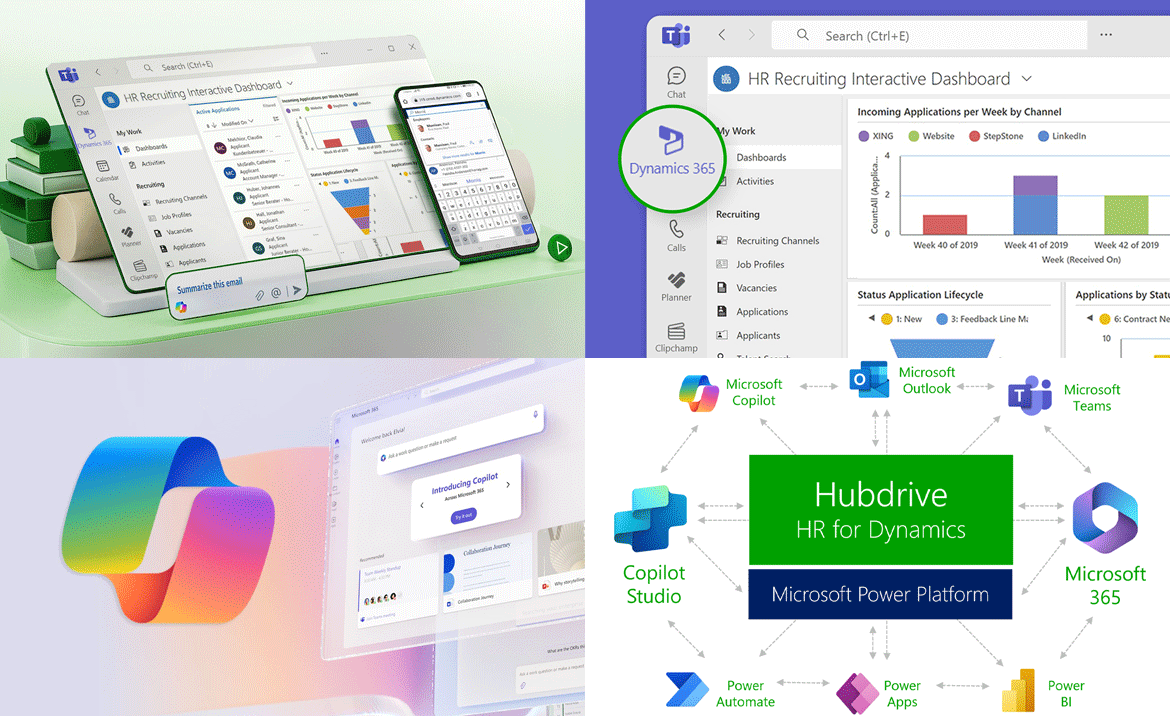
Handle HR tasks easily in Teams, Outlook, OneDrive or Copilot
Only Hubdrive HR lets you complete HR tasks not just in the browser but also directly in familiar Microsoft 365 apps like Teams, Outlook, OneDrive, Microsoft Copilot or Microsoft To Do. No extra third-party apps. No system switching. No additional passwords.
- HR tasks like leave requests, sick leave notifications or approvals are handled directly in Microsoft Teams.
- Training sessions for onboarding or learning appear in your familiar Outlook calendar.
- Copilot answers your self-service requests – even by voice input.
- HR task lists live in familiar tools like Microsoft To Do, Outlook, Planner or Loop.
- Time tracking also happens directly in familiar Microsoft 365 apps, on your smartphone or in the browser. Mix and match as you like.
Hubdrive is embedded in Microsoft 365 by Microsoft itself. For you, that means maximum Microsoft look and feel, comfort and flexibility.
3643 | Mitarbeiter | 01 - Top 3 | ma-vertraute-umgebung
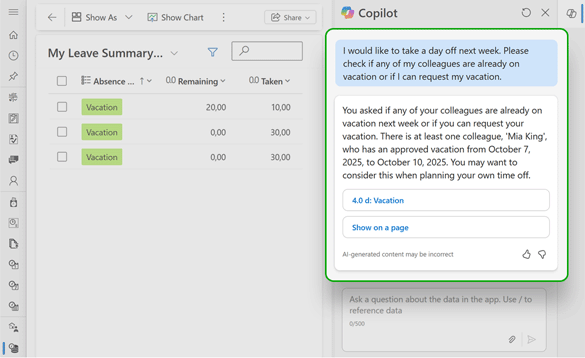
Fully automated HR self services with AI‑based chat
- The AI‑powered chat function answers your HR inquiries. You can ask questions naturally in plain language or simply enter a few keywords.
- The AI chat searches within Hubdrive HR, finds the relevant information and delivers responses to you in real time.
- There is no need to search for forms or send emails.
- For example, the AI can answer your questions about your remaining leave balance directly on your smartphone – even on weekends
- This allows you to get answers faster, while HR can focus on the cases where human support is truly needed.
3952 | Mitarbeiter | | ki-chat
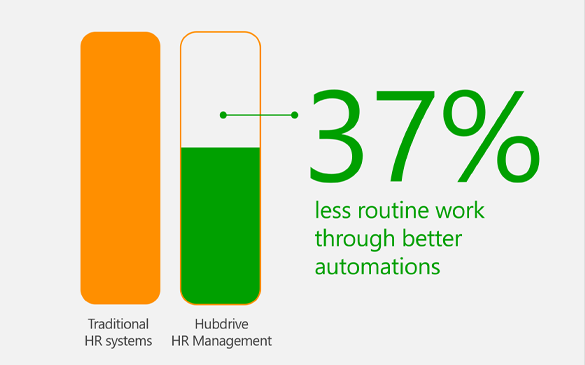
37% less routine work for the employees
Hubdrive HR eliminates 37% of routine work – giving you more time for what you enjoy and what truly matters.
- Hubdrive provides a wide range of highly automated best-practice workflows – for recruiting, staff administration, annual reviews, training management, time tracking and more.
- That means far fewer annoying administrative routine tasks for you – automation handles them intelligently in the background.
- When a Hubdrive automated workflow doesn’t fully match your needs, you can easily adjust it yourself using drag and drop in minutes. Best practice and individuality work together.
- Traditional HR systems are often hard to customize. Automation often stays inactive in real life and remains unused for years. Automation potential goes untapped.
Conclusion: Hubdrive HR saves up to 37% of routine work compared to traditional HR systems.
3642 | Mitarbeiter | 01 - Top 3 |
Additional reasons for employees
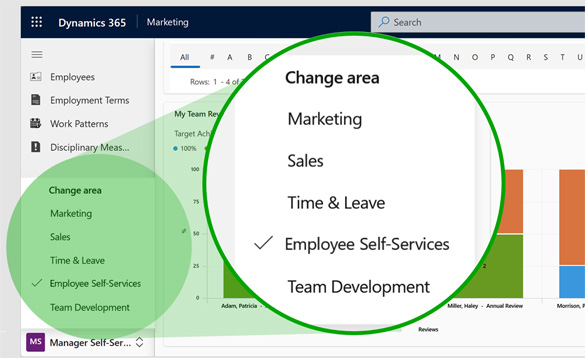
With one click, switch from your department to HR self-service and back
- The close collaboration between Hubdrive and Microsoft delivers maximum comfort for you. Hubdrive HR blends seamlessly with Microsoft business applications for Sales, Marketing and Service as well as Microsoft 365. The solution fits naturally into existing company infrastructures.
- With one click, you switch from your department area such as Sales or Marketing to HR. You can track time or submit a leave request. One more click takes you back to your daily work environment.
- This applies in the browser, in Microsoft 365 apps like Teams, Outlook or Copilot and on mobile devices. No separate vendors. No extra apps. No additional logins. No system switching.
3695 | Mitarbeiter | 02 - Weitere |
Transparency into your own development
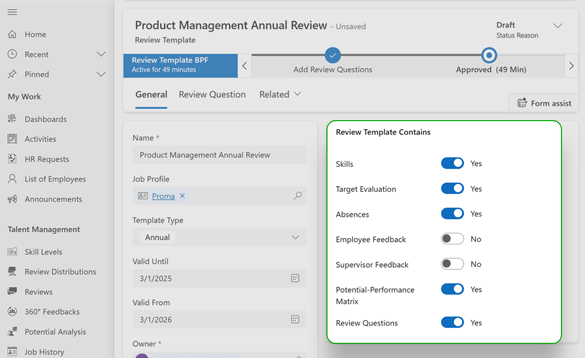
With Hubdrive, transparency into your development means you always have a clear view of where you stand, what has been agreed and where you can grow.
- You can find all your goals, 360° feedback, training, certifications and career steps in one place within your familiar Microsoft environment – no additional HR tools, no siloed solutions.
- Your development is continuously maintained as a complete timeline, instead of being scattered across lost Excel files and emails.
- Goals, skills, training and potential next roles are intelligently connected, helping you understand which steps will truly move you forward.
- Through self service and guided development journeys, you stay in control – there is no need to chase information.
- Thanks to deep Microsoft and Copilot integration, AI supports you in structuring feedback, refining goals and suggesting relevant learning paths.
3951 | Mitarbeiter | | ma-transparenz

Hubdrive offers eight different possibilities to track time
Every company is different. Every employee and every situation needs a different way to track time. Hubdrive HR offers eight time tracking options that you can combine freely.
- Microsoft Teams (web and desktop – no additional app required)
- Dynamics app on your smartphone (no third-party app required)
- Microsoft Copilot
- Time tracking terminals and punch clocks
- PCs and laptops
- Tablets and smartphones
- Virtual punch clock in the browser
- Grid-based entry on the PC (Excel-like look and feel)
Unlike traditional HR systems, your IT team doesn’t need to install an extra app for any of these eight options thanks to Microsoft integration. You can start right away in Microsoft 365 apps.
3618 | Kunde | |
AI innovations from Microsoft are available immediately
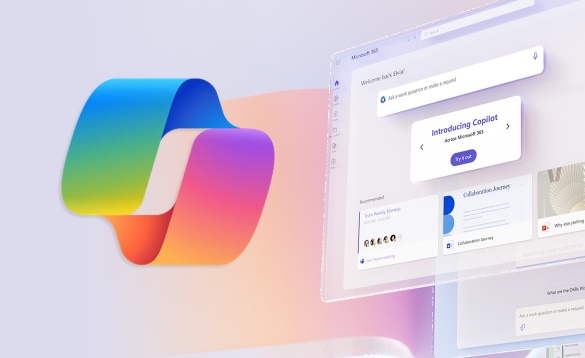
- All new Microsoft AI features are always available right away in Hubdrive HR. Everything works simply, securely and conveniently. If you already use Microsoft Copilot in Microsoft 365 or Dynamics 365, you can start using AI for HR tasks right away in a familiar environment. Security features of the Microsoft platform always stay active. Microsoft ensures the highest security standards during AI development.
- You can get started right away with peace of mind. Issues with HR due to potential data protection violations are no longer a concern.
- In traditional HR systems, AI use is often expensive, less powerful and requires additional, complex security measures.
3730 | Mitarbeiter | 02 - Weitere |
With Hubdrive HR, you can evaluate AI with confidence
- You’re creative and like to experiment with different AI tools – testing new features, generating content, or exploring automations. And then suddenly, information appears from unsecured systems – data you were never meant to see. That moment can be unsettling.
- How does this happen? Quite simply: AI processes every piece of information it can access in order to deliver the best possible results. That includes data from poorly secured internal systems and open Office documents such as Excel files, Word documents, PDFs, and more.
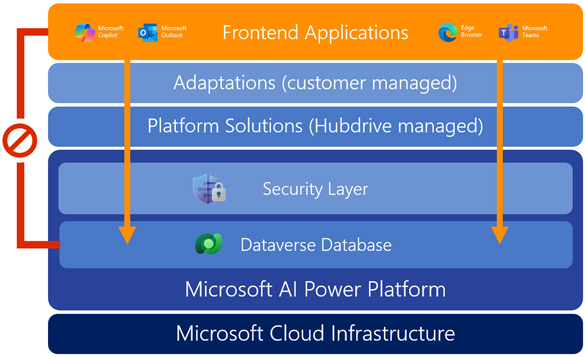
- With Hubdrive HR, this scenario won’t happen to you or your organization. Your AI only has access to data you are authorized to see based on your security roles.
- Every AI request – whether made via a browser, Teams, SharePoint, Claude, or ChatGPT – first passes through the security layer of the Microsoft Business Platform.
- Only data explicitly approved for you is taken into account. You can explore AI freely and with peace of mind.
The result: you and your colleagues can playfully discover AI features and test automations without data‑protection risks. With traditional HR systems, evaluating AI often feels like a data‑privacy gamble. With Hubdrive HR, it’s secure innovation.
3641 | Mitarbeiter | 02 - Weitere |
An HR solution that adapts to your daily work – not the other way around
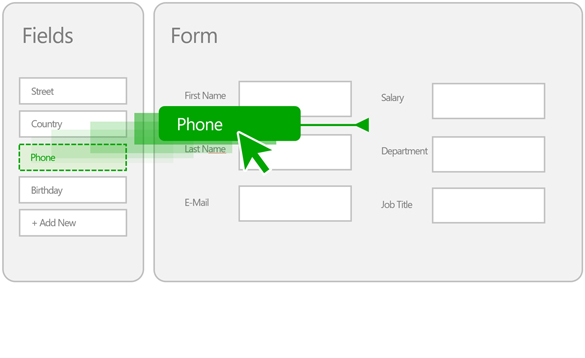
- Only Hubdrive HR lets you fully customize the HR solution to your needs using drag & drop.
- Lists, forms, dashboards and workflows – everything is easily customizable. Each department gets adjustments that match its specific needs.
- Hubdrive reflects the real daily work of your departments more accurately. Workarounds and quick fixes become unnecessary because processes adapt to real requirements in minutes.
- You and your colleagues are better supported in your day‑to‑day work by Hubdrive HR – rather than being held back by traditional HR systems.
3644 | Mitarbeiter | 01 - Top 3 |
You and your colleagues receive proactive guidance through workflow
- At any point in the HR solution, you can display the next concrete step in your current workflow.
- The interface shows exactly what to do and which field to complete or update next.
- This step-by-step guidance is especially helpful for tasks you perform occasionally.
3917 | Mitarbeiter | 02 - Weitere | proaktiv-angeleitet
With Hubdrive HR, all features are available through your Windows login
- HR departments typically use an average of seven HR solutions, which means employees often need to remember up to seven additional passwords.
- Only with Hubdrive HR are all features available to you directly after logging into Windows. All of those extra passwords can be eliminated.
- In addition to logging in with a password, you can also conveniently authenticate using your Windows PIN, facial recognition or fingerprint recognition.
- In every case, authentication with Hubdrive HR takes place securely in the background and is encrypted by Microsoft – including on mobile devices.
3606 | Kunde | |
Contact

Schedule a personal meeting
Interested in learning how your HR department can benefit from Microsoft & Hubdrive HR? Book a personal consultation with us to explore your options.
3655 | Kunde | |