The aim of this page is to show how an existing domain can be added to Microsoft 365. There is the option to use an existing domain or to purchase a domain during registration.
Connect a Domain
Objective
Process
System Admin
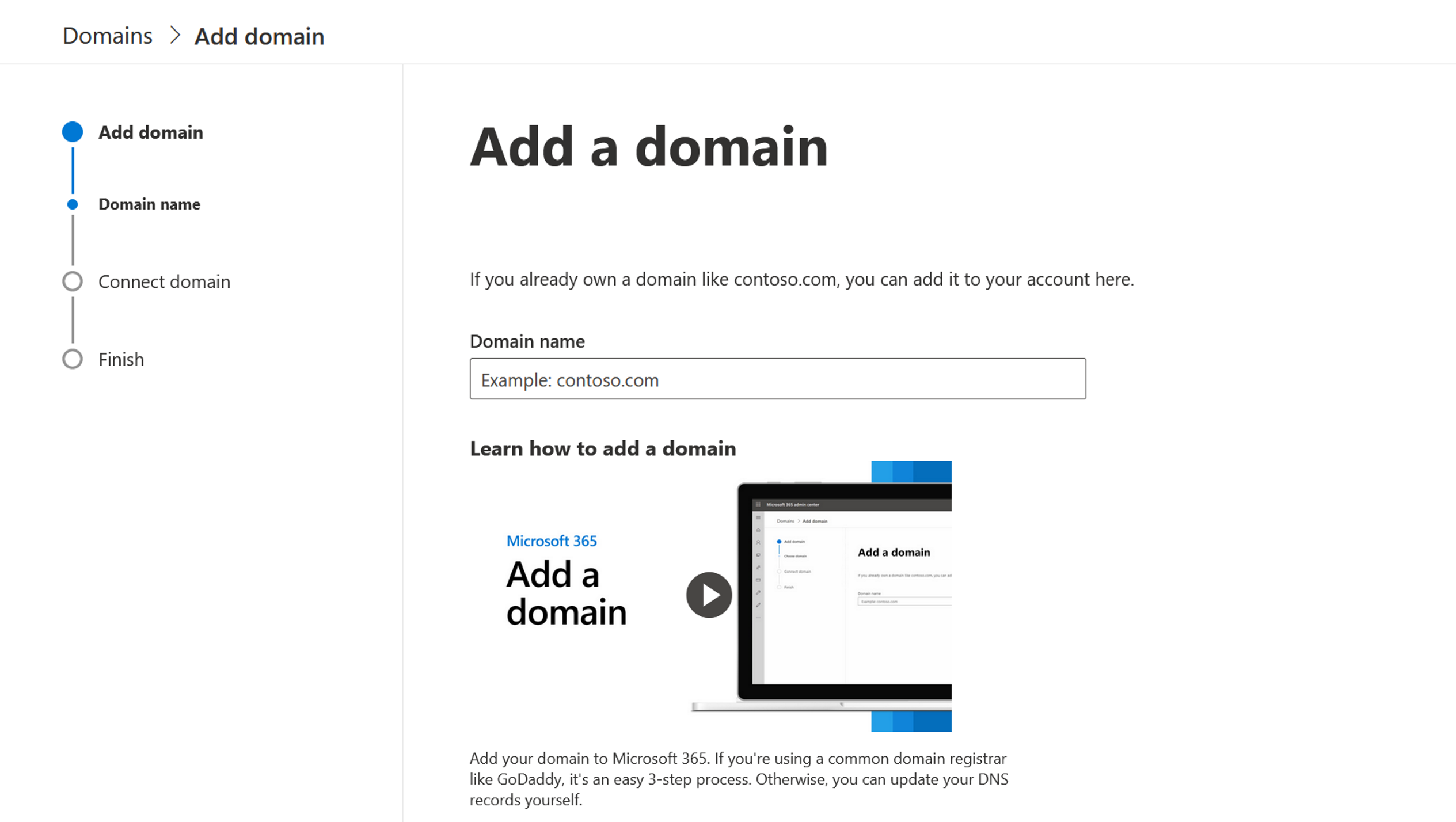
Add a domain
System Admin
Connect the domain
Prerequisites
- You are a domain administrator or global administrator
Click Through
- Start in the Microsoft 365 Admin Center
- Navigate to Settings in the menu on the left
- Click on Domains
- If you have created a domain during registration, it is already listed here
- If you would like to use the automatically created domain, you can skip the rest of this tutorial (next step: Add a Microsoft 365 group)
- If you already own a domain and would like to use it, continue following the tutorial below:
- Select Add domain
- Assign a Domain name for the domain
- Click Use this domain
- Verify you own your domain:
- Select how the check should proceed to determine whether you own the domain:
- Add a TXT record to the domain's DNS records: Recommended if you can create new DNS Records at your register or DNS hosting provider
- If you can't add a TXT record, add an MX record to the domain's DNS records: Recommended only if TXT records aren't supported by your domain host or register
- Add a text file to the domain's website: Recommended if you've already set up a website using this domain
- Click Verify
- Add a record to verify ownership
- Click Verify
- Select how the required DNS changes are to be made (this step is necessary so that Microsoft can use your domain)
- Add DNS records for me: Use this option if your domain registrar supports Domain Connect.
- I'll add the DNS records myself: Select this option if you only want certain Microsoft 365 services to be added to your domain. If you want to skip this step for now and complete it at a later time, you can also select this option.
- Click Next if you have selected the Add DNS records for me option
- A page will open with all the entries you need to add to your registrar's website to set up your domain
- If you wish to continue at a later date:
- Deselect all services and click Next or
- In the previous step of "Connect domain", select More options and Skip this for now
- Complete the process by clicking on Finish
Hint
- If your registrar is not recognized by the portal, see how to proceed here.
- If you do not know the DNS hosting provider or domain registrar for your domain, follow this guide.
Result
The screenshot shows all the steps that need to be performed to add a domain.
Next step
- After connecting your Domain, add a Microsoft 365 group to your tenant.