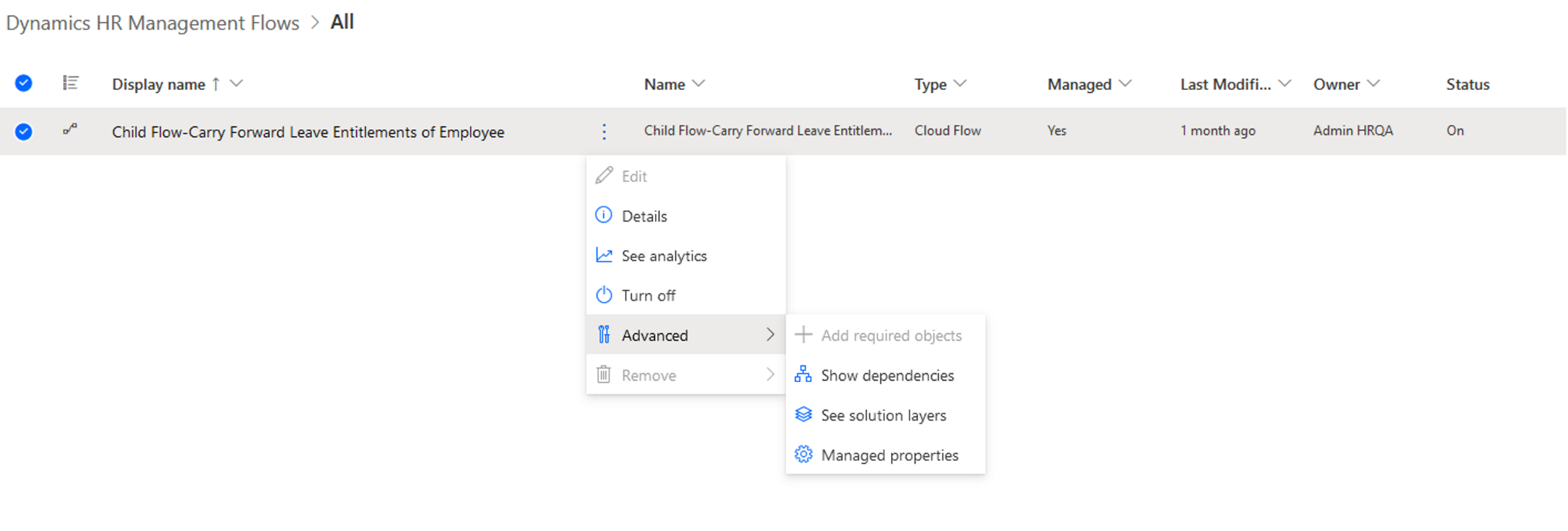
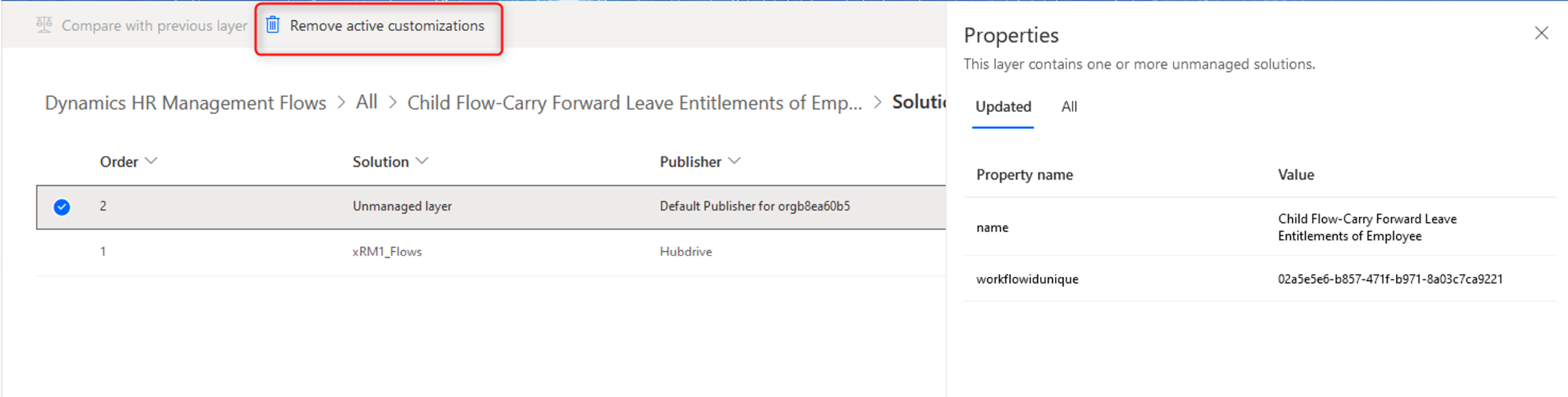
Depending on how you worked with your HR solution so far, you may have layers in your solution which need to be removed during the update. Layers are created if you make personalized customizations to your HR solution. Please ask your IT expert if this applies to you.
If you are not completely sure you made an individual customization to your HR solution which you want to keep, we recommend you remove layers to be sure you can always benefit from all features of the newest solution update.
In case you need to remove layers, this page shows you how it works.
This guide shows you how to do so without using any external tools, for every layer one by one. We highly recommend removing the layers in bulk using the external program XrmToolBox, since removing the layers in bulk is much faster and easier. You find a guide on how to do so here.