The integration between Outlook and Dynamics 365 streamlines customer relationship management by enabling users to seamlessly track emails, appointments, and tasks, enhancing productivity and ensuring consistent communication.
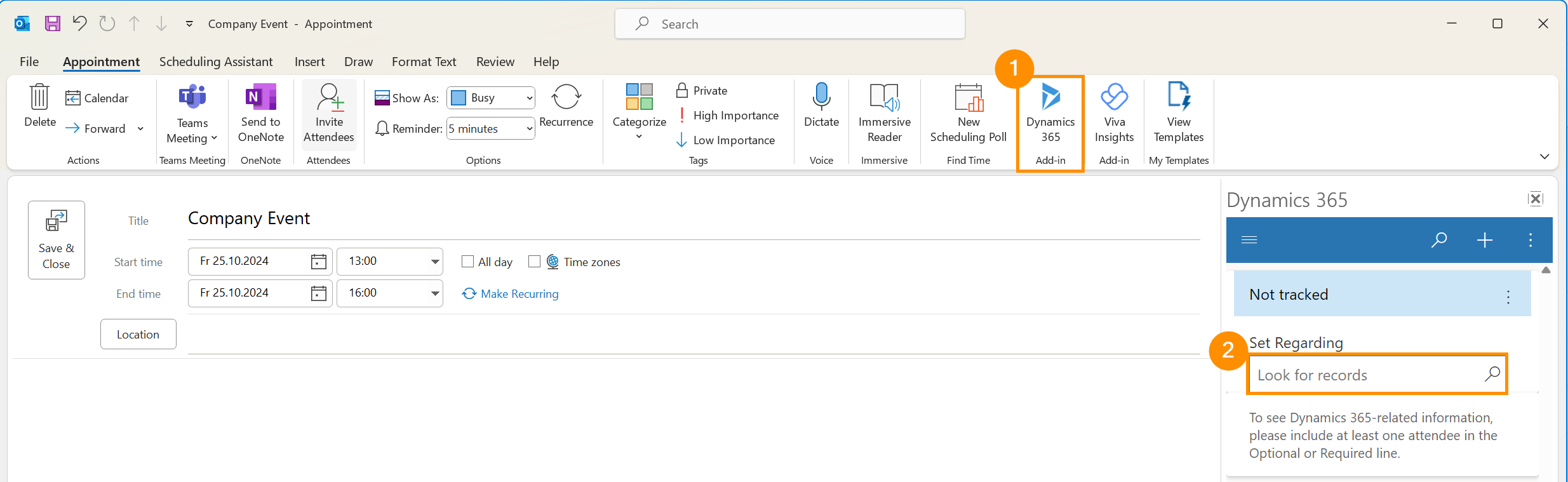
Besides the normal functionalities of sending and receiving an email, you can also link an email message, an appointment or a task to a specific record. The "Set Regarding" function allows users to associate an email, meeting, or task with a specific record in Dynamics 365, such as a contact, account, opportunity, or case.
This ensures that all relevant communications are linked to the appropriate records.
This tutorial will demonstrate how to use the Outlook integrated with HR for Dynamics, more specifically, how to use the Set Regarding functionality.