By using Strategic Goals, you communicate to your company what you want to achieve during the following year. Strategic Goals are breakthrough targets defined by executive management (CxO-Level).
Create Strategic Goals
Objective
Process
Upper Management
Creates Strategic Goals
Supervisor
Deducts quarterly objectives based on the Strategic Goals in collaboration with C-level
Employee
Can see the Strategic Goals of the company
Prerequisites
- CxO-Security role has been assigned to you
Click Through
- Start in HR HUB Objectives & Key Results
- Under OKR, click on Strategic Goals
- Click on + New
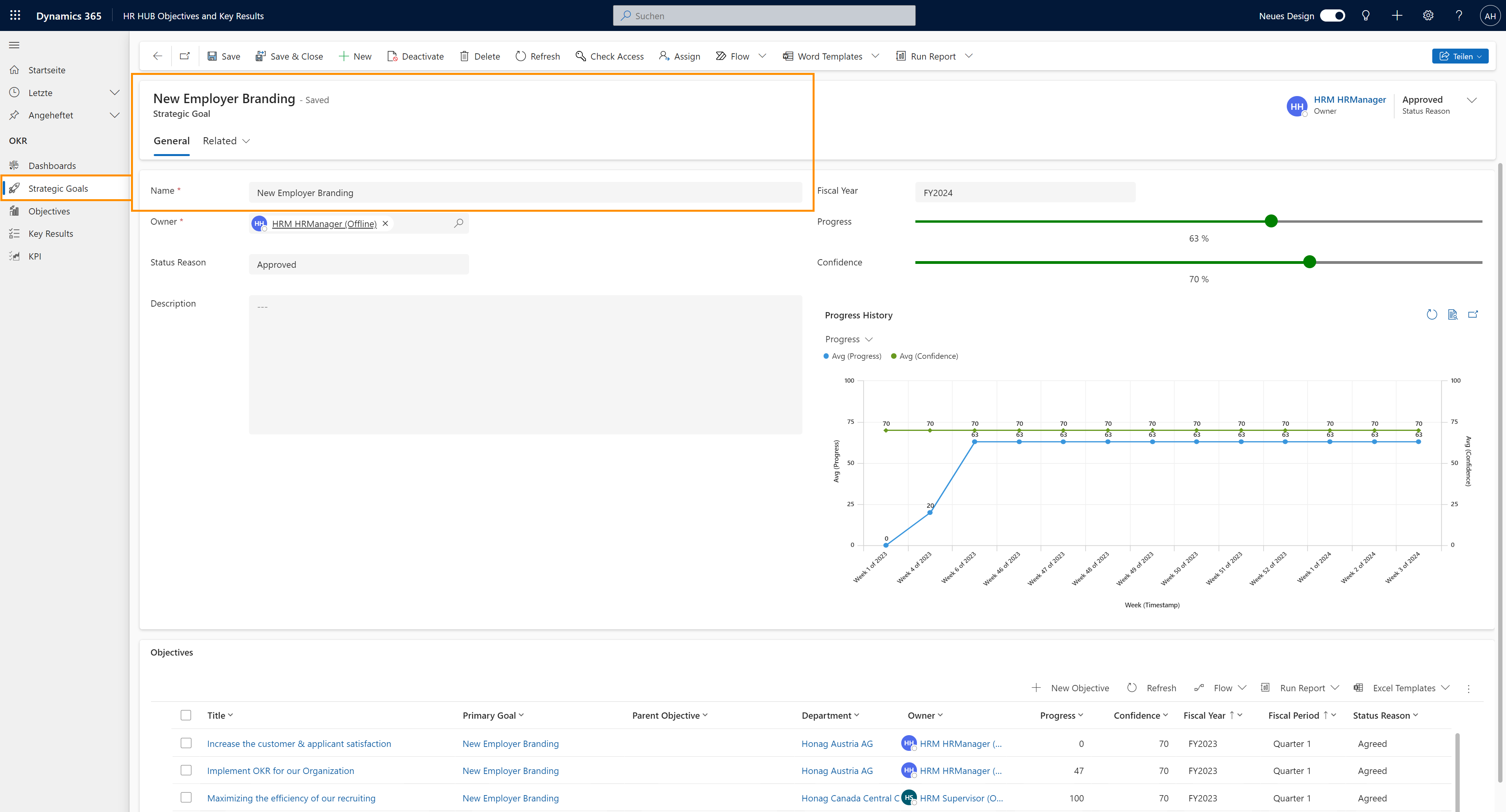
- Add a Name and a Fiscal year to your Strategic Goal
- With the sliders for Progress and Confidence you can define those values in %
- The owner can be changed, but is at first always the one who created the goal
- There are two possible Status Reasons: Approved & Idea
- A new Goal / Objective / Key Result at first always has the Status Reason Idea and needs to be moved to Approved manually.
- Only after the status reason has been set to 'Approved', it will be added to the actual OKR process.
- Click on Save
- After saving for the first time, a new area shows up below, where you can add your Objectives.
- To do so, click on + New Objective
- You can find a detailed tutorial on creating objectives here.
Hint
- Strategic Goals should be created for one Fiscal year. After that, the Objectives below that goal should cover one quarter each.
- Strategic Goals can be viewed by all your employees, but only users with a CxO security role can create, delete or modify them.
Result
Here, you can see a filled out Strategic Goal.